My Ultimate Cooking Tool: Recipeatz
I have always wanted to cook more. There are a few reasons for this: health benefits, saving money, connecting with my parents’ culture, etc. But the biggest is that I’m a broke-ass bitch, and cooking dinner is cheaper than buying dinner for my dates. Luckily(?) I don’t go on many of those.
Also, cooking is fun! The problem is…I am a lazy cook. Although I like doing it, the mental effort to prepare to cook is annoying. Even if I find a recipe I want to make, it’s such a hassle to remember:
- the recipe I want to make
- the ingredients I need
- the time I need to carve out of my schedule
All this ancillary work generates a lot of cognitive load, leading me to just make the same boring recipes I’ve always made. If I got too bored, instead of making something new, I’d hit up the McDonald’s across the street.

I couldn’t live like this anymore — I wanted to cook, but needed something to reduce the cognitive load around cooking. Existing apps didn’t meet my needs, so I decided to build the best damn cooking tool I could imagine. That tool is Recipeatz:
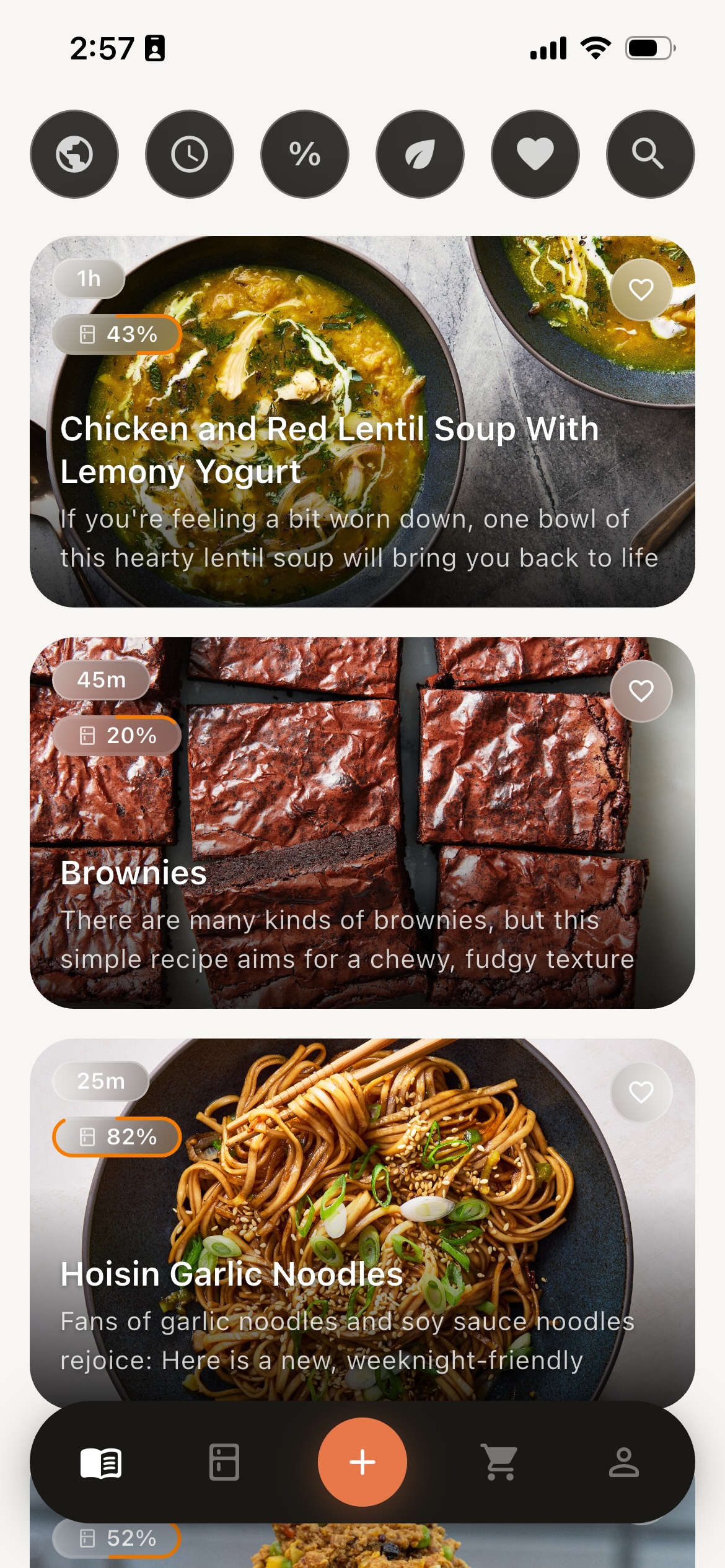
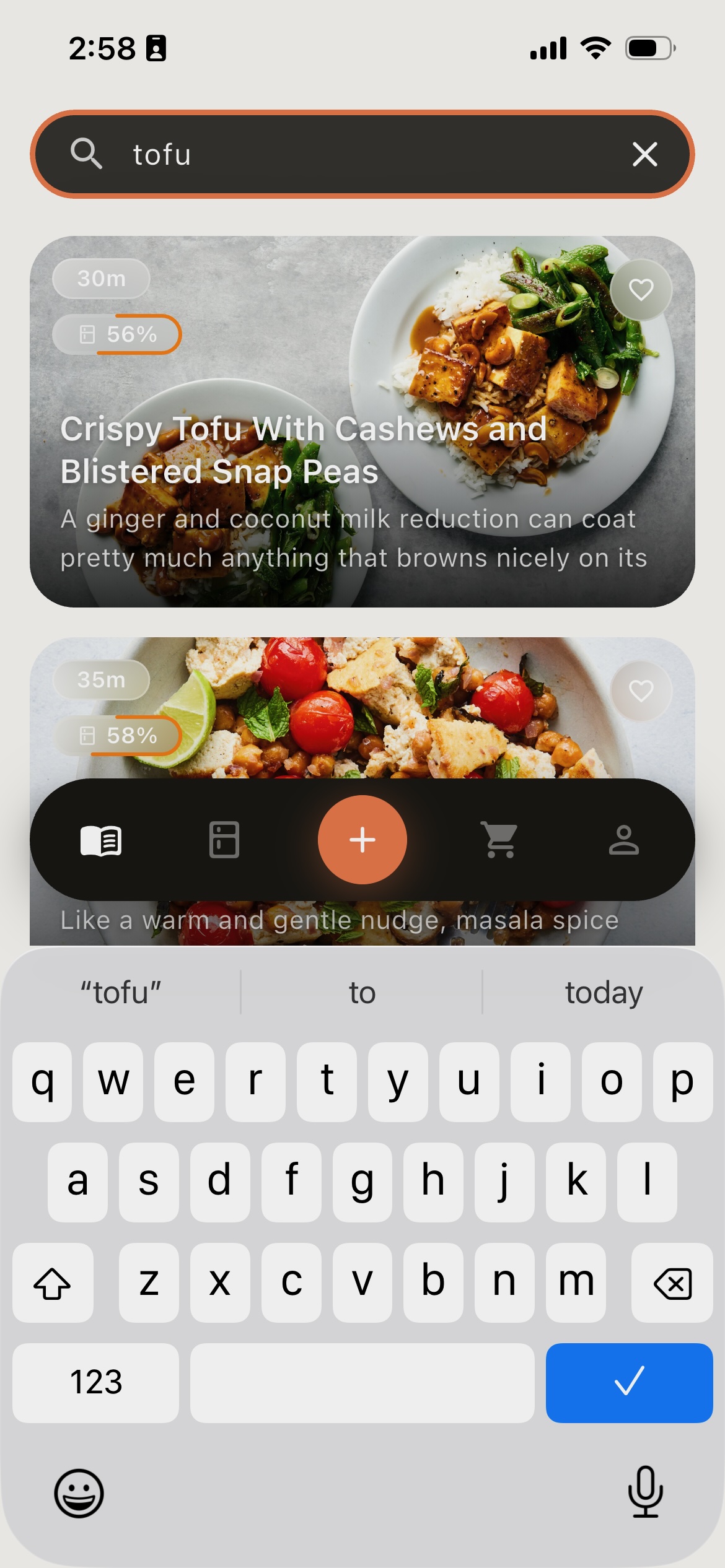
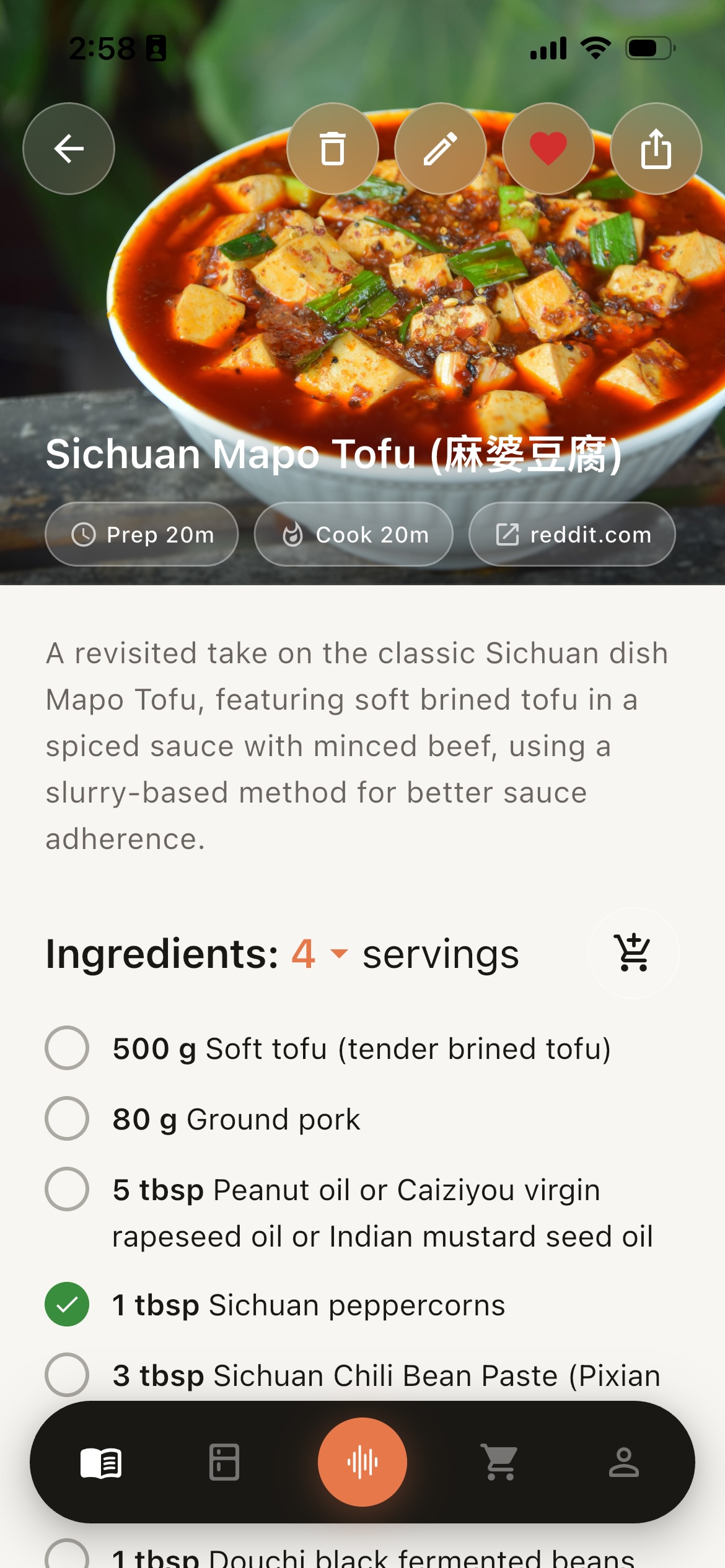
This article focuses on my journey of building Recipeatz:
I’m biased, but this article is a lot of fun: it’s got interactive demos, videos, and most importantly at the end: data!
If you get excited about this product as you read through the article, please download it, try it out, and share feedback! As you’ll see in this article, the app has completely transformed my life, and I think it can help you too.
Jobs to be done
When I thought of my dream cooking tool, it needed to do 3 things:
- Consolidate — I find inspiration from recipes from all over: YouTube, websites, my mom, cookbooks, etc. How can I save all of this information in a single place?
- Track — Recipes require ingredients that I may or may not have. Can I easily track what’s in my kitchen, and what I need to buy if I want to make something?
- Assist — The worst experience I have with cooking is when my hands are messy, I forget the next step, and I need to do some ridiculous movements to scroll through the recipe for the info I need. Can I have an assistant that I can interact with even when my hands are preoccupied?
Of course, before I started building, I looked for existing tools that might meet my needs. However, the existing tools at the time seemed to only offer partial solutions! Lots of apps helped with consolidation, but were completely unsatisfactory when it came to Tracking or Assistance.
I felt that a more thoughtful, opinionated, and tech-first approach could be brought to bear on these problems. I decided it was time for me to jump in: Recipeatz is laser focused on doing the 3 jobs above with a delightful user experience.
Who is this for?
Before diving into the features available, let’s zero in on who this is for.
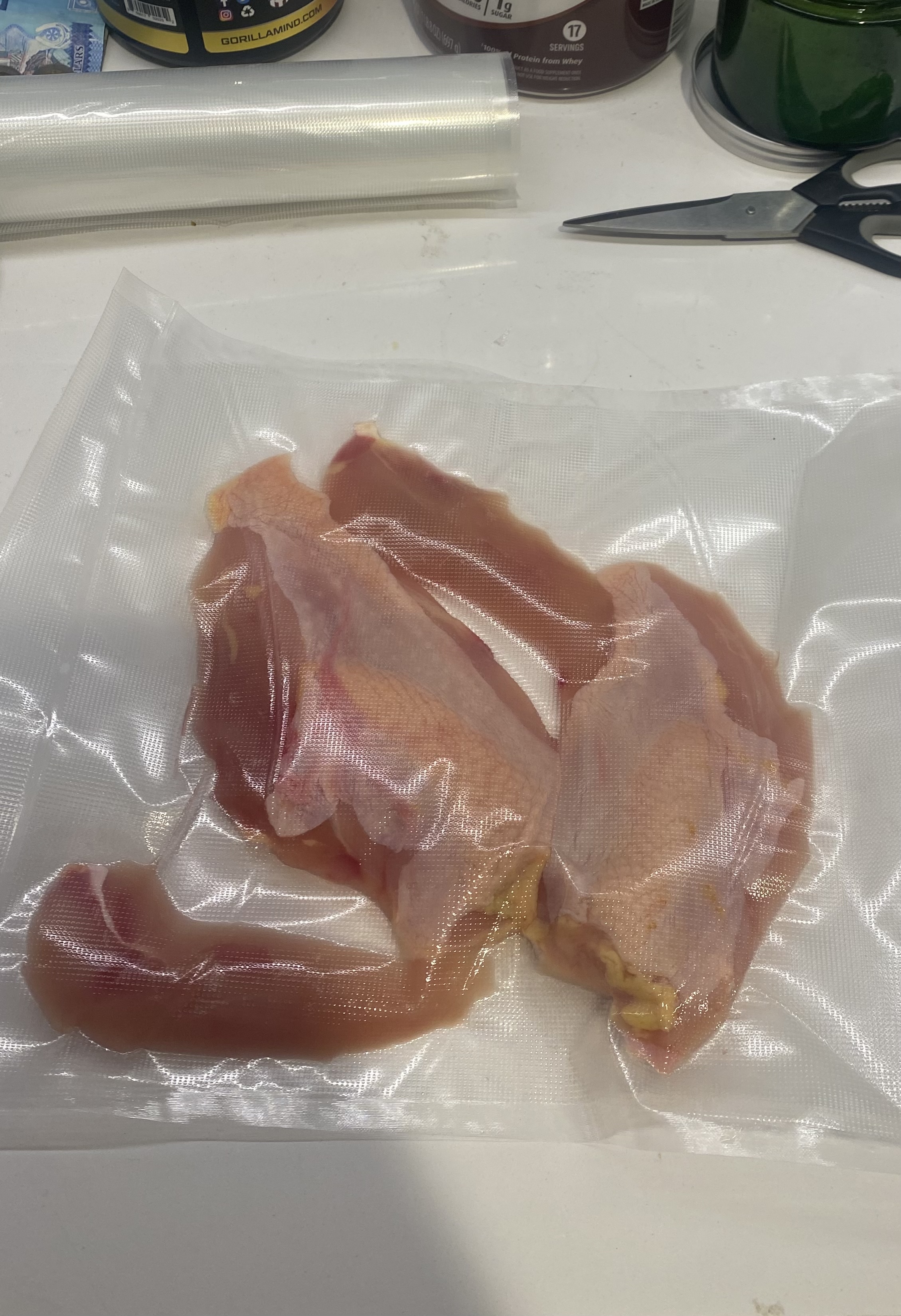
how much can I overcomplicate chicken?
Cooking is more than sustenance — it’s a craft and an opportunity for creativity. Regardless of whether it’s in pursuit of flavor, health, or simple efficiency, you are working to get better.

ah, the fruit of my people: green thingy
Food is your way to connect with your heritage. Your family has recipes that they have never written down, and you want to ensure that you don’t lose that history.
Unsurprisingly, I’m both an Optimizer and a First-Gen Immigrant. It’s almost like Recipeatz was made for me! If you’re either of the archetypes above, you’re going to love what I’ve built.
What does it do?
Recipe Consolidation
How does it help? saves ALL your favorite recipes from anywhere in a single place!
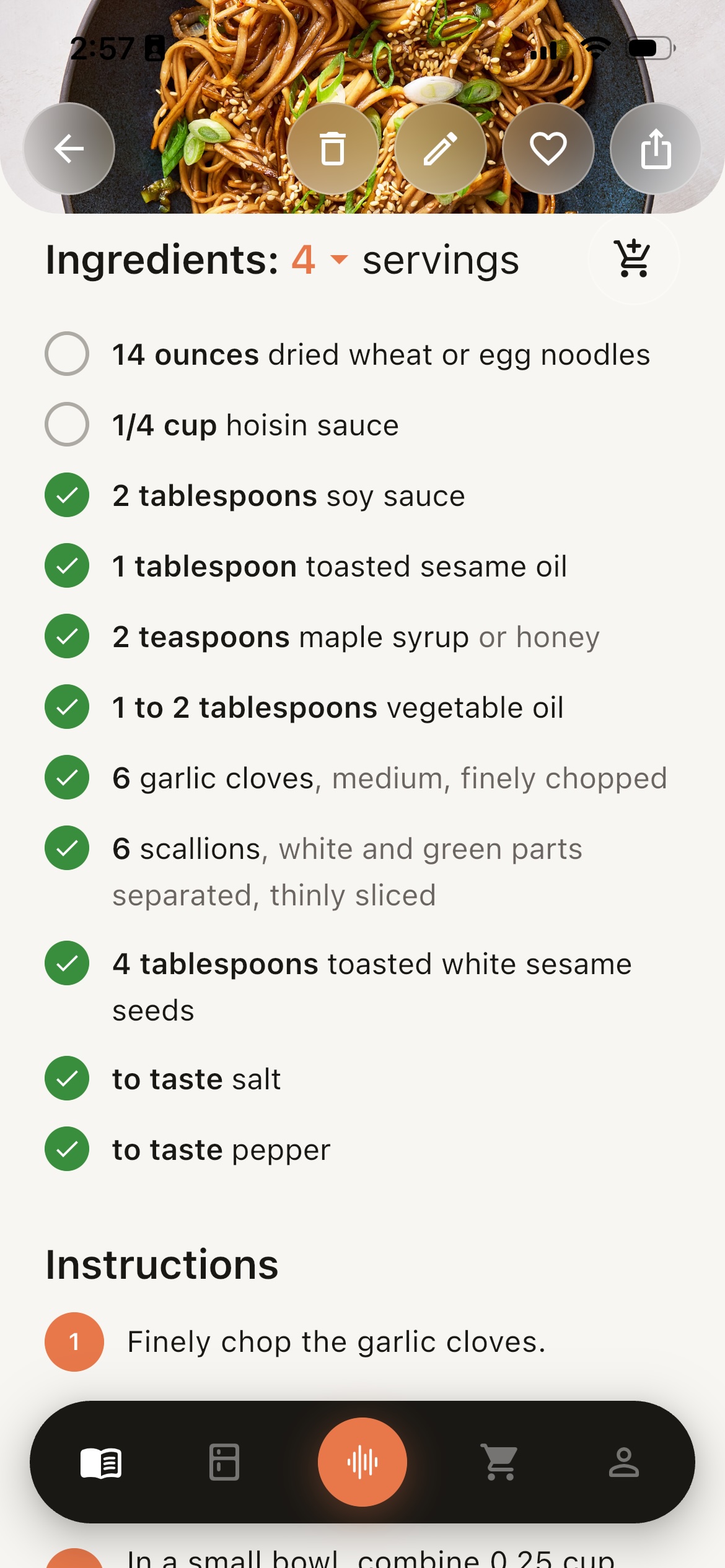
Recipeatz lets you save a recipe from links (websites, YouTube, TikTok, etc.), images, text blurbs, or even with your voice!
When you save a recipe, you also save as much information from the recipe as possible:
- the exact list of ingredients along with substitutions
- quantities
- duration
- detailed steps
- anything else you can imagine!
This information is saved to ensure you have all the info you could ever need when cooking on your own, and powers other parts of the app (more on that below)!
The process of saving steps for a recipe is also opinionated: I find that the best way to cook is to prepare my mise en place first, and then just execute everything after. Recipeatz follows this same philosophy when saving recipes, so that prep work is saved earlier in the recipe steps.
Recipe extraction is the core of most recipe apps, but I haven’t seen other apps let users describe a recipe with their voice — my mom (and most immigrant moms) never write down their recipes. So I needed an easy way for her to dictate how she thinks about a recipe so that I can keep track of her knowledge and legacy! Here are some examples of her recipes: one she dictated while we had dinner, and another she wrote down for me:
Inventory Management
How does it help? never forget what you already have!
In the previous section, you might have seen that the Dhal Curry ingredients list had a checkmark next to “Water”. This is because every kitchen has water. But could a recipe know what else is in your kitchen?
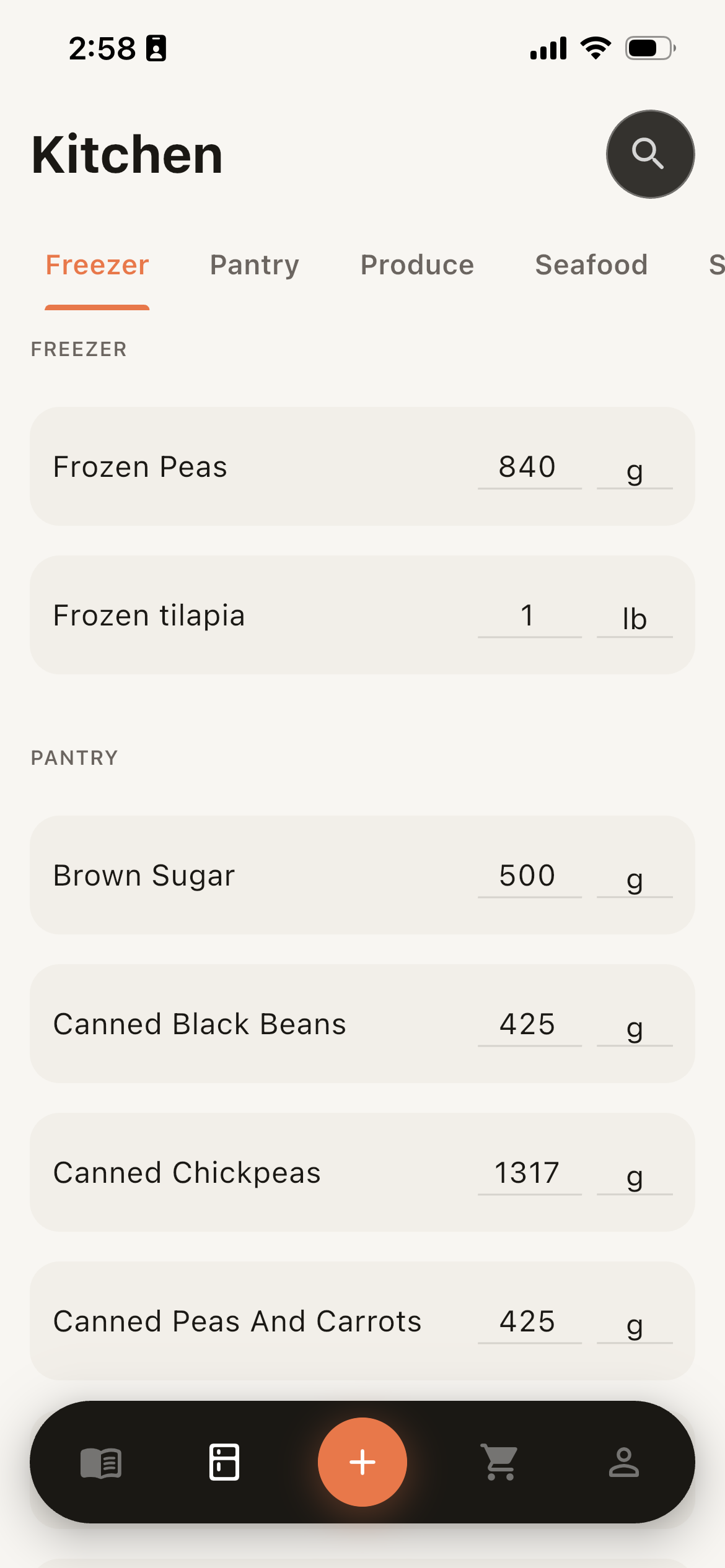
The answer is yes! Recipeatz lets you save what you already have in your kitchen, which lets you see what’s missing for recipes. Here is what’s currently in my kitchen, along with how a recipe for Dubu Jorim shows what I have, along with what’s missing. Ingredients that are present in insufficient quantities are marked in orange.
Obviously, no one is going to keep this up to date if it’s hard to manage your virtual kitchen. To make it extremely easy to add many ingredients (and quantities) at one time, users can add items using:
- their camera
- or their voice
If they want even more control, they can type it all out themselves. Later on, I’ll show you how the app automatically removes ingredients that you use for recipes!
Grocery List Creation
How does it help? never forget what you need!
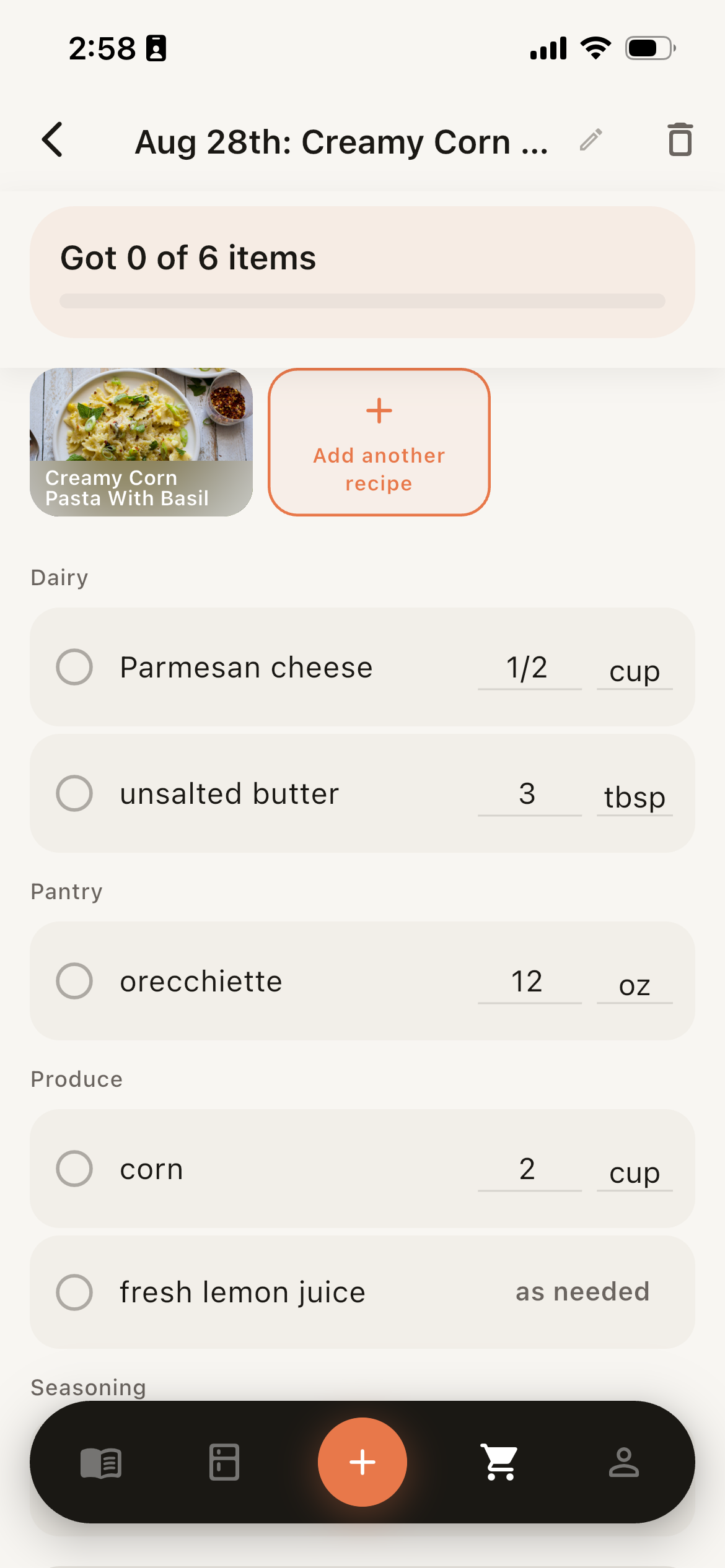
So if the app knows what you want to make (recipes) and what you have (inventory), it can also tell you what’s missing. The grocery lists feature makes it trivial to turn recipes into shopping lists! Same as with every other tool in the app, you can use photos to easily update what you’re buying, or enter things in manually.
Chef Mode
How does it help? get hands-free assistance and tools while cooking!
Finally, we get to my favorite feature: Chef Mode. When I cook, I HATE having to check a recipe on my device using my hands, since they’re often busy or messy!
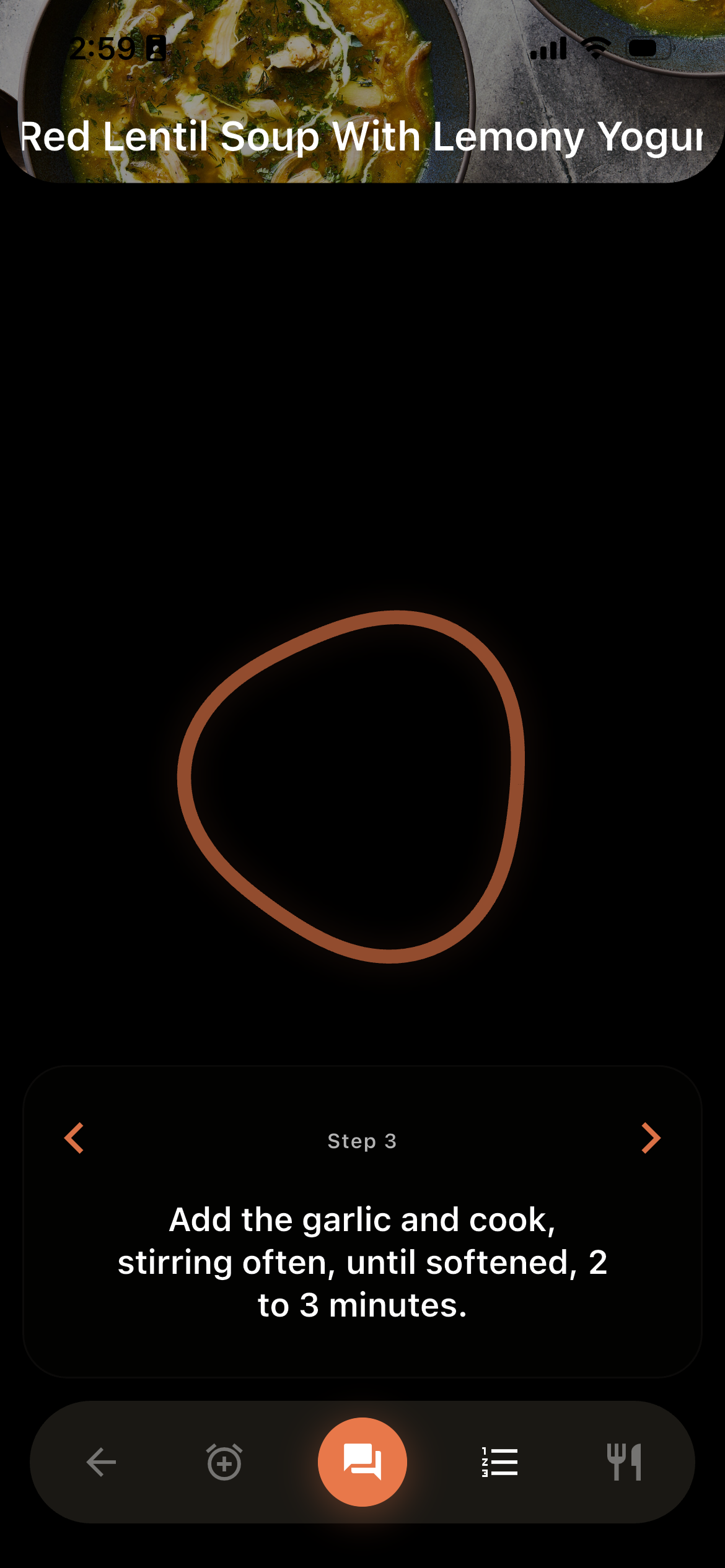
Chef Mode is intended to be a voice-first experience, where you can use your voice to ask whatever questions you have, and get guidance as you go. You can: ask for the next step, ask for ingredient amounts, and even create timers with your voice!
The UI is designed to be focused and beautiful — you don’t want a million things on the screen when you’re busy cooking, so the various elements are designed to appear when you need them, and go away when you don’t. This sort of UI makes sense for voice being the interaction paradigm!
Once you’re done with a recipe in Chef Mode, the app keeps track of what you used up from your kitchen. If there’s an ingredient it thinks you ran out of, it’ll ask you to confirm. This ensures that your inventory and grocery lists are accurate over time!
Planning
How does it help? never forget your plans and get reminders!
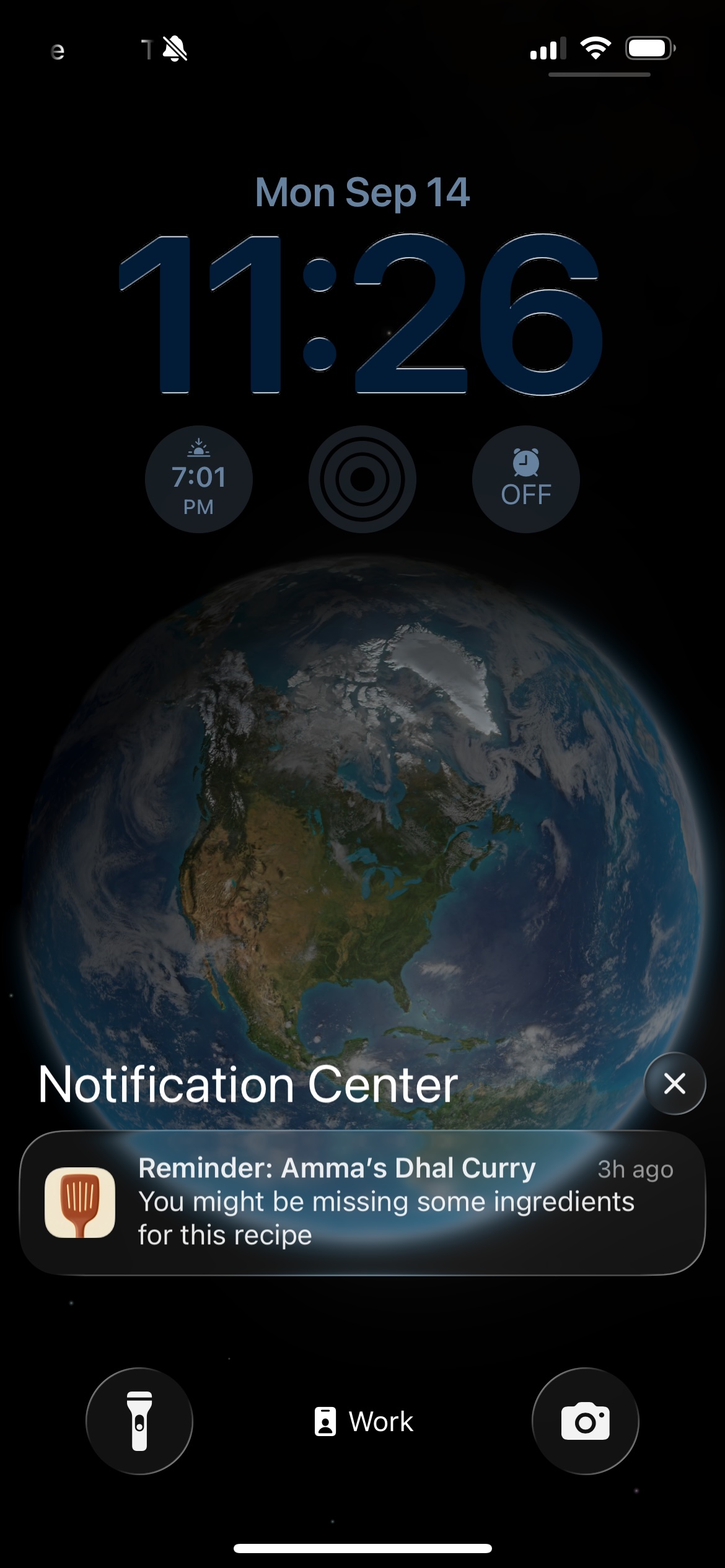
This last feature was developed after launching on the App Store. I realized that although the app made it easier for me to cook, it still took effort for me to build the habit of cooking.
It’s well known that habits are critical in changing your life. However, the human psyche is not conducive to building habits. My motivation is spikey: powerful, but fleeting. I needed a mechanism to take those momentary bursts of motivation and sustain them into a habit.
Thankfully, I came up with the perfect way to do this: planning my meals. Planning allows me to take ephemeral motivation and spread it out into the future. I put a recipe in the plan when I’m motivated, and don’t have to rely on being motivated when I actually have to cook. I’ve already mentally committed to do so earlier!
When it’s almost time for me to make a planned recipe, the app also reminds me if I’m missing ingredients. Tapping the notification will show everything I’m missing - that way, I am never unprepared when it’s time to cook.
In addition, the calendar shows the recipes I have already made, allowing me to celebrate my progress if I’m cooking a lot, or showing me that I have not been committed because the calendar is empty.
This piece of the app was the last critical feature I needed to really supercharge my cooking.
Did it work?
In the intro, I articulated my goal: cook more. And I wanted to achieve this by reducing my cognitive load around cooking. Although I can’t measure cognitive load directly, I do know that I’m already using Recipeatz every time I cook.
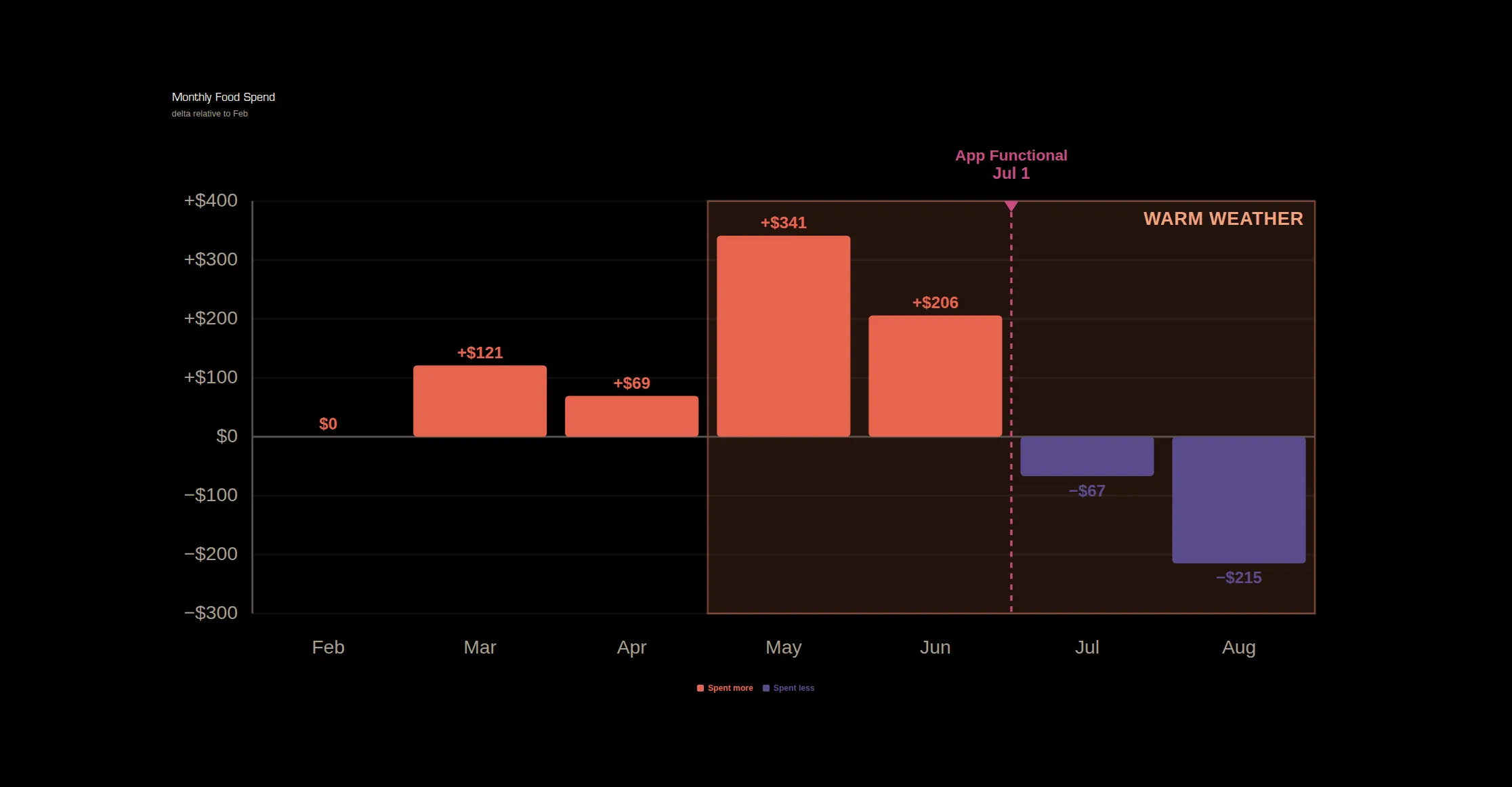
But let’s actually look at data: if I’m actually cooking more, we should see trend breaks in my spending over time - specifically in my spend on restaurants vs. groceries:
Monthly Food Spend
delta relative to Feb
Spend on Groceries & Restaurants
normalized to Feb
In these charts, we can see two huge inflection points:
- As soon as the weather became warmer, I spent way more on restaurants (it’s more enjoyable to eat out when its sunny!)
- As soon as my app became functional, you can see a large reduction in my restaurant spend, alongside a simultaneous increase in my spend on groceries.
Thankfully, because cooking is much cheaper than eating out, I am now on track to save hundreds of dollars a month by cooking more!
Perhaps more importantly, what about my McDonald’s spend?
McDonald's Spend
normalized to Feb
Unfortunately, McDonald’s seems to be a much stickier habit for me. Ultimately, the statement that McDonald’s was my one true love turned out to be more true than I had anticipated.
Lessons Learned
Focus is key
I started this project with just recipe consolidation and chef mode in mind. During the process, I realized that I also wanted help with grocery shopping, and that required a kitchen inventory tool.
Even with that relatively focused vision, this project took about 2.5 months of part-time work (detailed timeline here). Unsurprisingly, development also followed the Pareto Principle: it took about 2 weeks of work to create a functional app that I could use in my day-to-day life. This was also when friends and family asked to try it out as well.
However, the last 20% required much more time and testing: bugs, UI tweaks, better wording, and authentication. With other friends wanting to try the app, I decided to get the app in the App Store, which also required creating a NUX flow.
After completing the first 80% of the app, it was VERY tempting to keep adding new features. I detail the ideas I still want to build at the end of the article, but I explicitly told myself that those were off limits. I’m glad I did this! I had already gravely underestimated how much effort the last 20% of the app required. Had I been less discerning about my build scope, this app may never have been released.
The #1 piece of advice I can give anyone building with these tools is that just because AI makes it possible for you to build anything, doesn’t mean you should build everything.
Code is not the bottleneck
Let’s actually dive a bit deeper into the development progress for this project:
Daily PR Activity
197 PRs pushed · Jun 15 – Aug 25
If you look at the chart of PRs over time, you may notice that there are large gaps in my activity on this particular project. Part of this is because I am constantly jumping around various projects, depending on priorities, timelines, and motivation.
However, the main reason for the gaps is that I need time to test the app! What you’ve seen in this article is after many tests of the product in my own life. I would constantly use it in order to find when things were broken, write those down in my backlog, and churn through the backlog in bursts.
What this means is that thanks to AI models, coding is likely never the bottleneck for product development anymore. Instead, it’s ideation and feedback loops. Although the problems I was experiencing were clear to me, how exactly to approach them was not at all!
This does make me think that any future speed-ups in dev velocity will have to come from tightening this feedback loop. For me, the testing bottleneck was that I was the only tester (friends and family helped out, but their timelines were much slower than is ideal).
The lesson I’m taking from this project is that for any future product, I will need to lock in my feedback cycles early: how quickly can I get people using the product, and how can I get their feedback even faster?
Future Features
Earlier I mentioned how focus was so critical, and that there were various features that I deprioritized. Without getting into too much detail, the general themes I’d like to address are:
- Shared Inventories and Shopping Lists
- Nutrition
- Translation Services - get recipes from family members who don’t speak English
- ‘Freestyle’ Cooking - instead of recipes, improvise a dish using what you have
- Food Expiration Prevention
- Social Features
There’s so much that can still be done in this particular problem space. I hope you try out the app, and find as much value in it as I have. You may even be able to break a McDonald’s habit that I was too weak to!
And of course, if you try out the app, please reach out to me and share feedback! I want to hear what you think, and what you would want to be added to the app.